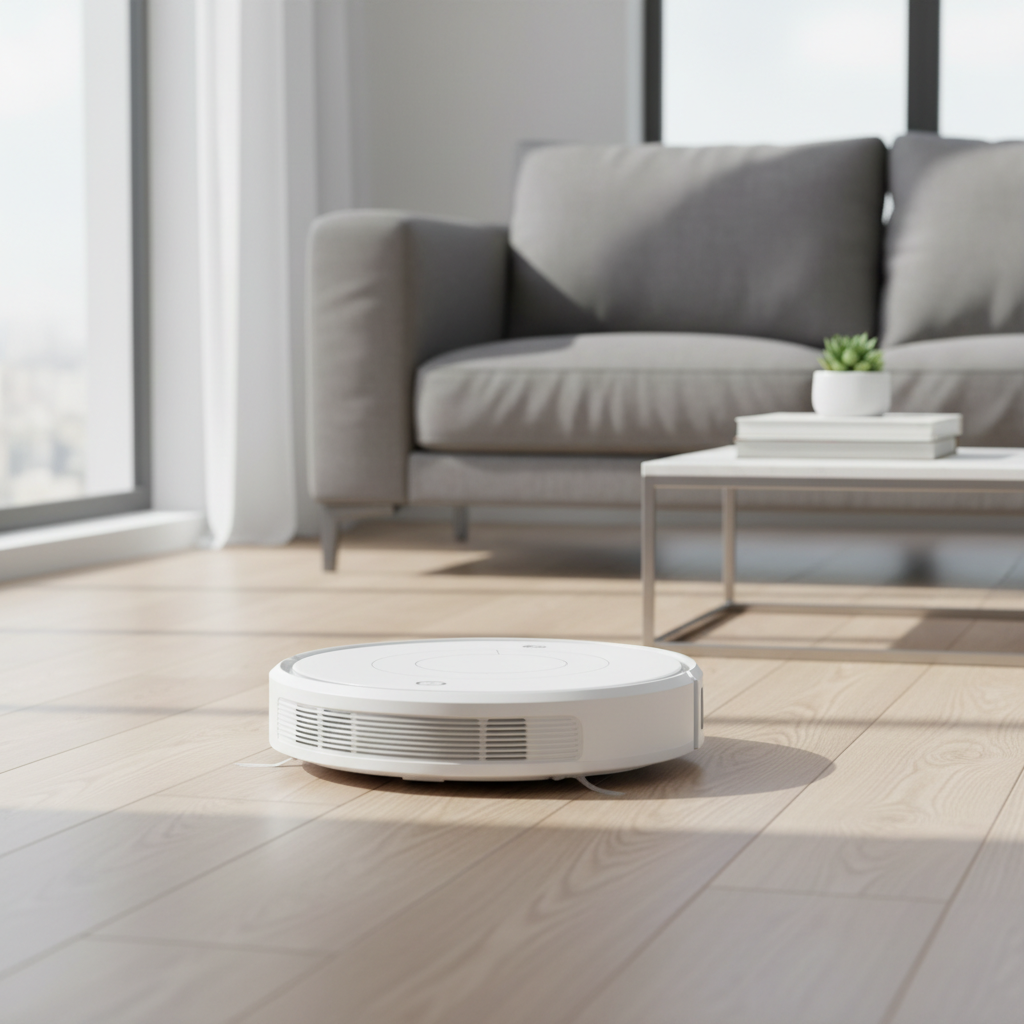
Robot vacuum cleaners promise a life of effortless cleaning, gliding across floors to banish dust and debris with minimal intervention. Yet, for many users, this promise is cut short by unexpected malfunctions and premature breakdowns. While these intelligent devices are designed for convenience, they are sophisticated machines with intricate components that require attention. Failing to understand their delicate nature and overlooking essential care can lead to common mistakes that swiftly diminish their performance and ultimately ruin your robot vacuum. This comprehensive guide will expose these pitfalls and arm you with the knowledge to safeguard your investment, ensuring your robotic helper stands the test of time.
The Unseen Threats: Why Robot Vacuums Break Down Prematurely
Beneath their sleek exteriors, robot vacuums house a complex array of sensors, motors, batteries, and brushes, all working in harmony to navigate and clean your home. This very sophistication, however, makes them vulnerable to seemingly minor oversights. Unlike a traditional upright vacuum, which you might only consider when it’s actively in use, a robot vacuum operates with a degree of autonomy that can foster a “set it and forget it” mentality. While convenient, this mindset often leads to neglect of the routine maintenance critical for its survival. Every bump, every tangle, and every layer of dust accumulated on a sensor strains its internal mechanisms, inching it closer to an early retirement. Understanding these vulnerabilities is the first step toward preserving your robot vacuum’s lifespan and ensuring it continues to deliver pristine floors for years to come.
Top Operational Mistakes That Shorten Your Robot Vacuum’s Life
Many robot vacuum owners unknowingly engage in habits that drastically shorten their device’s lifespan. These mistakes often stem from a misunderstanding of how these advanced cleaning companions operate and what they need to function optimally. Avoiding these common errors is paramount for the longevity and efficient performance of your robot vacuum.
Neglecting Regular Cleaning of Core Components
The most frequent and damaging mistake is the failure to regularly clean critical parts.
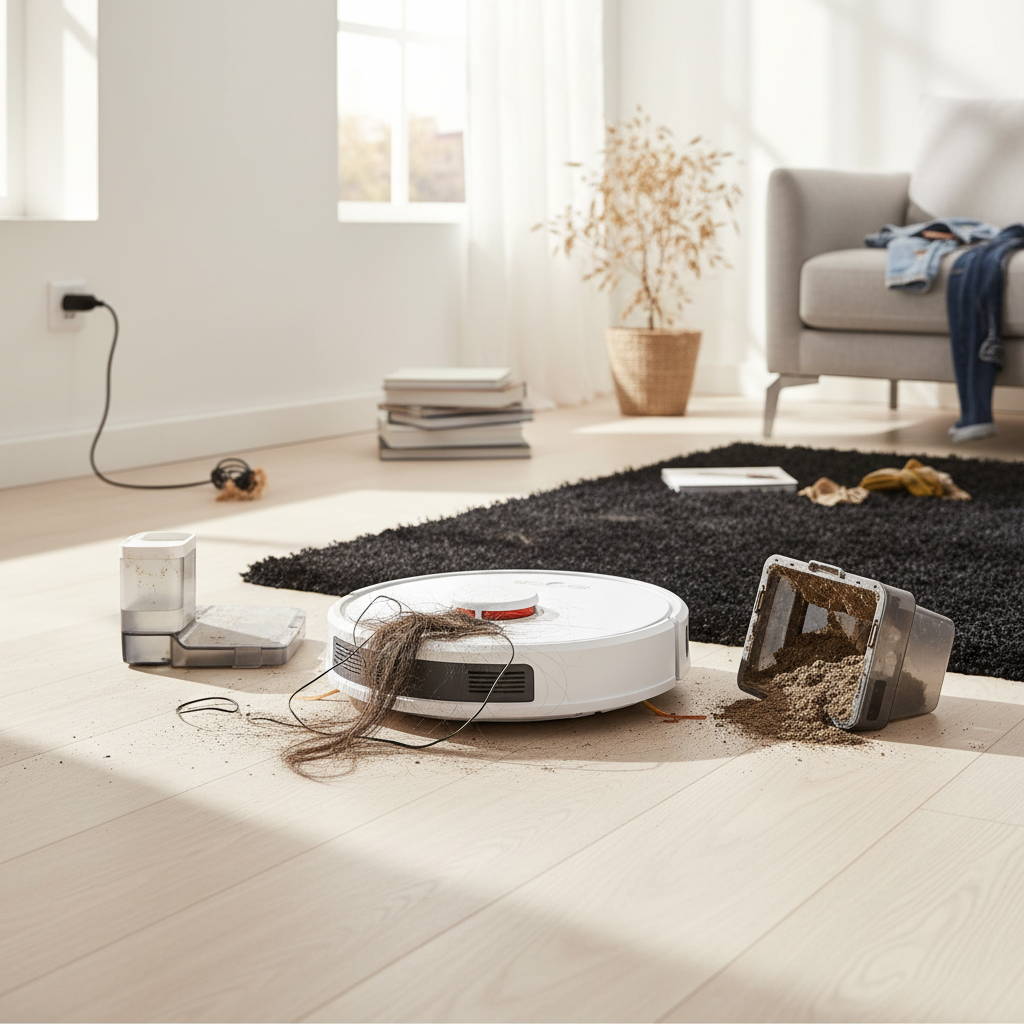
- Clogged Brushes and Filters: The primary tools for dirt collection, brushes and filters, are also the first to suffer from neglect. Hair, pet fur, and fine dust inevitably get tangled around brush rolls, forcing the motor to work harder and increasing its wear and tear. Similarly, filters clogged with debris restrict airflow, significantly reducing suction power and causing the motor to overheat. This constant strain on the motor is a leading cause of premature failure.
- Dirty Sensors and Wheels: Robot vacuums rely on an array of sensors—including cliff sensors, bumper sensors, and wall-following sensors—for navigation. When these sensors become obscured by dust, smudges, or debris, the vacuum’s ability to map its environment and avoid obstacles is compromised. This can lead to erratic movements, repeated collisions with furniture, getting stuck in corners, or even taking tumbles down stairs. Accumulation of hair and dirt around the wheels can also impede movement, forcing the robot to drag or stop, and in some cases, even scratch delicate flooring.
|
Our Picks for the Best Robot vacuum cleaner in 2026
As an Amazon Associate I earn from qualifying purchases.
|
||
| Num | Product | Action |
|---|---|---|
| 1 | SHELIKI Robot Vacuum and Mop Combo, 3-in-1 Robotic Vacuums Cleaner with 70-Day Self-Emptying Base, LiDAR Navigation Smart Mapping & Strong 6000Pa Suction, for Pet Hair, Hard Floor, Carpet |

|
| 2 | Shark Matrix Clean | Robot Vacuum Cleaner with Powerful Suction for Pet Hair, Rugs, Carpets & Hard Floors | Self-Empty Base | 60-Day Capacity | Voice Control | LiDAR Navigation | Cool Grey | AV2511AE |
|
| 3 | eufy Robot Vacuum 11S MAX, Super Thin, Powerful Suction, Quiet, Self-Charging Robotic Vacuum Cleaner, Cleans Hard Floors to Medium-Pile Carpets, Black |
|
| 4 | Robot Vacuum and Mop, Mapping Robotic Vacuums Cleaner with LiDAR Navigation Smart & Strong Suction, WiFi/App/Alexa/Voice Control, Obstacle Avoidance, for Home, Wood/Hard Floors, Pet Hair -Gray |
|
| 5 | roborock Q7 M5+ Robot Vacuum and Mop, Upgraded from Q5 Max+, Up to 7-9 Weeks Self-Empty, 10000Pa Suction, Dual Anti-Tangle System for Pet Hair & Carpet, PreciSense LiDAR Navigation, App Control, Black |
|
| 6 | Tikom Robot Vacuum and Mop Combo, 5000Pa Robotic Vacuum Cleaner, 150 Min Max, App & Remote Control, Ideal for Hard Floor, Carpet, Pet Hair, Self-Charge(G8000 Max) |
|
| 7 | Robot Vacuum and Mop Combo, 2 in 1 Robot Vacuum Cleaner with WiFi/App, Smart Robotic Vacuums with Strong Suction, Schedule, Self-Charging, Slim, Quiet, Ideal for Hard Floor, Pet Hair, Low Pile Carpet |
|
| 8 | roborock Qrevo Series Robot Vacuum and Mop, 8000Pa Suction, Upgraded from Qrevo S, Anti-Tangle Brushes, Smart Obstacle Avoidance, Auto Mop Washing, All-in-One Dock, 200RPM Spinning Mops, Black(QV 35A) |
|
| 9 | ILIFE V2 Robot Vacuum Cleaner, Tangle-Free Suction, 120 Mins Runtime, Slim, Self-Charging Robotic Vacuum Cleaner, Ideal for Pet Hair and Hard Floors |
|
| 10 | Tikom Robot Vacuum and Mop, 6000Pa Robotic Vacuum Cleaner with Self-Emptying Base, 90 Days Capacity, LiDAR Navigation, Home Mapping, Ideal for Pet Hair, Hard Floors, Carpet (L8000 Plus) |
|
Ignoring Software Updates
Modern robot vacuums are smart devices, often receiving firmware and app updates designed to improve navigation, battery management, and overall cleaning efficiency. Neglecting to install these updates can leave your robot vulnerable to bugs, cause it to operate less efficiently, drain its battery faster, or miss out on performance enhancements that prolong its life. Just like your smartphone, your robot vacuum benefits from staying current.
Improper Environmental Preparation
While robot vacuums are designed to handle various home environments, certain conditions can be detrimental.
- Leaving Obstacles and Cords: One of the most common reasons for a robot vacuum to get stuck, damaged, or even spread messes is a cluttered cleaning area. Loose cords, small toys, socks, or even pet waste can easily entangle the brushes, jam the wheels, or be dragged across the floor. In the worst-case scenarios, tangled cords can cause motor burnout, while running over pet waste can spread unsanitary messes throughout your home, damaging the internal components in the process.
- Using on Unsuitable Surfaces: Not all robot vacuums are designed for every type of flooring. Running a robot vacuum with a mopping function over thick carpets can saturate the fabric, potentially damaging both the carpet and the robot’s electronics. Similarly, forcing a vacuum with low ground clearance over high-pile rugs can cause it to get stuck or strain its motor unnecessarily. Exposure to standing water is almost always a death sentence for a robot vacuum.
Poor Battery Maintenance Habits
The battery is the heart of your robot vacuum, and its health directly correlates with the device’s lifespan.
- Deep Discharges and Overcharging: Continuously allowing the battery to fully drain before recharging, or conversely, leaving it docked and constantly trickle-charging for months on end, can significantly shorten its overall lifespan. Lithium-ion batteries, common in most robot vacuums, prefer partial discharges to maximize their cycle life.
- Extreme Temperatures: Storing or operating your robot vacuum in environments with extreme heat or cold can degrade the battery cells and other sensitive electronic components. Hot garages or sun-exposed areas can prematurely age the battery, leading to reduced runtime and eventual failure.
Overlooking the Dustbin and Consumables
It might seem obvious, but a full dustbin severely impacts performance.
- Full Dustbin: A brimming dustbin reduces suction power, forcing the motor to work harder to compensate. This not only results in poor cleaning but also accelerates motor wear.
- Worn-out Filters, Brushes, and Mop Pads: These components are designed to be replaced periodically. Overusing worn-out filters reduces air quality and cleaning efficiency, while frayed brushes and mop pads fail to pick up debris effectively and can even damage your floors or the vacuum itself.
Using Non-OEM Parts or Wrong Cleaning Solutions
While third-party accessories might seem like a cost-effective alternative, they can compromise your robot vacuum’s performance and longevity. Non-OEM filters might not fit properly or filter as effectively, and generic brushes could be made of inferior materials, leading to faster wear or even damage to the vacuum’s motor. Similarly, using unapproved cleaning solutions in mop tanks can corrode internal components or leave streaks on your floors.
“Many robot vacuum failures aren’t due to manufacturing defects but rather a lack of understanding regarding basic maintenance and operational best practices. A little proactive care goes a long way in extending their useful life.” – Dr. Eleanor Vance, Robotics Engineer specializing in Consumer Devices
Preventing Premature Failure: Best Practices for Robot Vacuum Care
Ensuring your robot vacuum enjoys a long and effective life is largely within your control. By adopting a few simple maintenance habits and understanding how to optimize its operating environment, you can significantly extend its longevity and avoid costly repairs or replacements.
Here are the best practices for caring for your robot vacuum:
- Daily or After Each Use:
- Empty the Dustbin: This is the simplest yet most crucial step. A full dustbin reduces suction and strains the motor.
- Quick Check for Entanglements: Briefly inspect the main brush roll and side brushes for tangled hair, string, or debris. Remove any obstructions promptly.
- Weekly Maintenance:
- Clean Sensors and Charging Contacts: Use a soft, dry cloth or a cotton swab to gently wipe all navigation and cliff sensors. Clean the charging contacts on both the robot and its dock to ensure reliable power transfer.
- Inspect Wheels: Check the robot’s wheels for any trapped hair or debris that could impede movement.
- Clean or Tap Out Filter: If your filter is washable, clean it according to the manufacturer’s instructions. Otherwise, gently tap out accumulated dust.
- Monthly Deep Cleaning:
- Thorough Brush Roll Cleaning: Remove the main brush roll and use a cleaning tool (often provided) or a small pair of scissors to cut and remove all tangled hair and fibers.
- Deep Clean Wheels: Remove the front caster wheel and clean any hair or gunk trapped around its axle.
- Wipe Down the Body: Give the entire robot a thorough wipe-down with a dry or slightly damp cloth.
- Clean Mop Pads (if applicable): Wash reusable mop pads after each use and ensure they are dry before storage.
- Regular Software Updates: Periodically check your robot vacuum’s companion app for available firmware updates. Install them to benefit from improved performance, bug fixes, and new features.
- Optimize the Cleaning Environment:
- Clear Obstacles: Before each cleaning cycle, do a quick sweep of the floor to remove loose cords, small objects, heavy pet food bowls, and any potential hazards.
- Mind Liquids: Ensure there are no spills or wet areas where your robot vacuum operates.
- Strategic Dock Placement: Position the charging dock against a wall in an open, clutter-free area, away from direct sunlight, heating vents, or damp environments.
- Battery Care:
- Avoid Deep Discharges: Allow your robot vacuum to return to its charging dock before its battery is completely depleted.
- Proper Storage: If storing the vacuum for an extended period, charge the battery to about 50-80% and store it in a cool, dry place. Avoid leaving it fully charged or completely drained for months.
- Replace Consumable Parts: Adhere to the manufacturer’s recommendations for replacing filters, side brushes, and main brush rolls. Typically, filters need replacing every 3-6 months, and brushes annually, depending on usage and home environment. Always use genuine OEM (Original Equipment Manufacturer) parts.
- Use Approved Solutions: For mopping robots, only use the cleaning solutions explicitly recommended or provided by the manufacturer to prevent damage to internal water tanks and nozzles.
The Investment Factor: How Smart Care Saves You Money
A robot vacuum cleaner represents a significant investment in home convenience, but its true value is realized only when it performs consistently over its expected lifespan. The initial purchase price, whether for an entry-level model or a high-end device, includes the cost of sophisticated technology designed to simplify your life. However, neglecting the common mistakes outlined above can quickly erode this investment. Premature wear and tear due to clogged brushes, damaged sensors from collisions, or a degraded battery from improper charging all lead to reduced efficiency, increased energy consumption, and eventually, the need for expensive repairs or an early replacement.
By diligently following proper maintenance routines, you extend the functional life of your robot vacuum, effectively maximizing your return on investment. A well-maintained robot vacuum continues to clean effectively, maintains optimal battery health, and navigates intelligently, saving you money that would otherwise be spent on replacement parts, professional servicing, or even purchasing an entirely new unit far sooner than necessary. Smart care isn’t just about extending device longevity; it’s about making a financially prudent decision that ensures your automated cleaner remains a valuable asset in your home for years.
Conclusion
Robot vacuum cleaners offer an undeniable upgrade to modern home maintenance, liberating us from daily sweeping and vacuuming. However, their sophisticated nature demands a level of informed care that many owners unfortunately overlook. By understanding and avoiding the common mistakes that plague these devices—from neglected filters and tangled brushes to improper charging habits and environmental hazards—you hold the key to unlocking years of reliable, efficient cleaning. Regular maintenance is not merely a chore but an essential practice that protects your investment, ensures optimal performance, and allows your robot vacuum to continue simplifying your life. So, are you ready to commit to the simple steps that will keep your robot vacuum performing at its peak for the long haul?
Frequently Asked Questions
How often should I clean my robot vacuum’s brushes and filters?
Ideally, you should empty the dustbin and quickly check brushes for tangles after every use. A more thorough cleaning of brushes, filters, and sensors is recommended weekly, and a deep clean of all components monthly, especially if you have pets or a busy home.
Can I use any cleaning solution in my robot vacuum’s mop tank?
No, it’s crucial to only use distilled water or cleaning solutions specifically recommended or provided by your robot vacuum’s manufacturer. Using unapproved chemicals can cause corrosion, clog nozzles, or damage the internal water system, voiding your warranty.
Why is my robot vacuum constantly getting stuck or bumping into furniture?
This often indicates dirty navigation sensors. Dust, hair, or smudges on the cliff, bumper, or mapping sensors can impair its ability to see and navigate. Cleaning these sensors regularly with a dry, soft cloth usually resolves the issue.
Is it bad to leave my robot vacuum on its charging dock all the time?
While most modern robot vacuums are designed to manage their battery on the dock, continuously leaving it fully charged for extended periods (e.g., months) can slightly accelerate battery degradation over its lifespan. For optimal battery health, allow it to run and recharge regularly, and if storing for a long time, charge it to 50-80%.
How do I know when to replace consumable parts like brushes and filters?
Your robot vacuum’s app might provide alerts, or you can check your user manual for recommended replacement schedules (typically 3-6 months for filters, 6-12 months for brushes, depending on usage). Visually inspect them for wear, fraying, or reduced effectiveness, and replace when necessary.